

About us
How it works
Add your business
Reward your workforce
Refer a friend
Download app
News
Need help?
Health & Beauty
Children & Toys
Electrical
Fashion
Financial & Insurance
Food & Drink
Gifts & Flowers
Holiday & Travel
Home and Garden
Jewellery & Watches
Leisure & Entertainment
Motor
Pets
Phones
Sports and Fitness
Utilities
Music
Sport
Days out
Cinema
Ticket hub
Finance & Insurance
Member Days
Holiday Discounts
Get the app on Apple storeGet the app on Google Play store

Community

Blue Light Card FoundationRenewalsNHS DiscountsTeachers DiscountsEligible ProfessionsRetired EligibilityRefer A FriendLatest news & blogsExplore offers near youLife Moments HubPopular brandsWhere can you get discounts?About usCompliance

Resources

Reward your workforceAdd a discountMobile AppPromotionsHelp CentreMedia EnquiriesCareers at Blue Light Card

Legal

Legal and RegulatoryTerms and ConditionsPrivacy NoticeCookies PolicyManage CookiesModern Slavery Act StatementBusiness Code of ConductBlue Light Card ESG Strategy & KPIs

© Blue light card UK 2026

Discounts as you shop with Blue Light Card

Never miss out on a discount again with our new deal finder.
Get notified when you're on a site that offers Blue Light Card discounts

How it works

Follow these three easy steps and never miss a deal again.
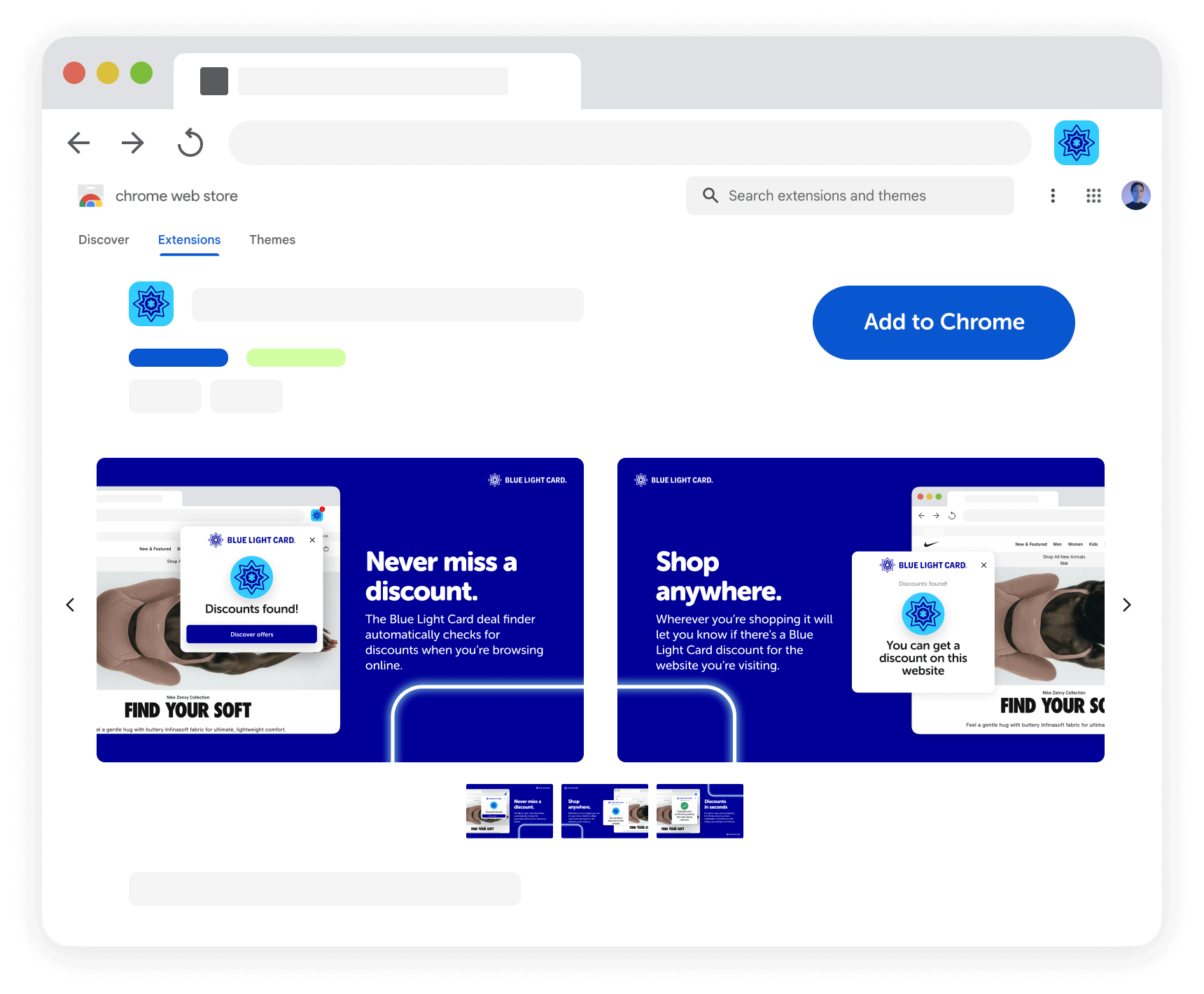
Step 1

Easily add it to your computer
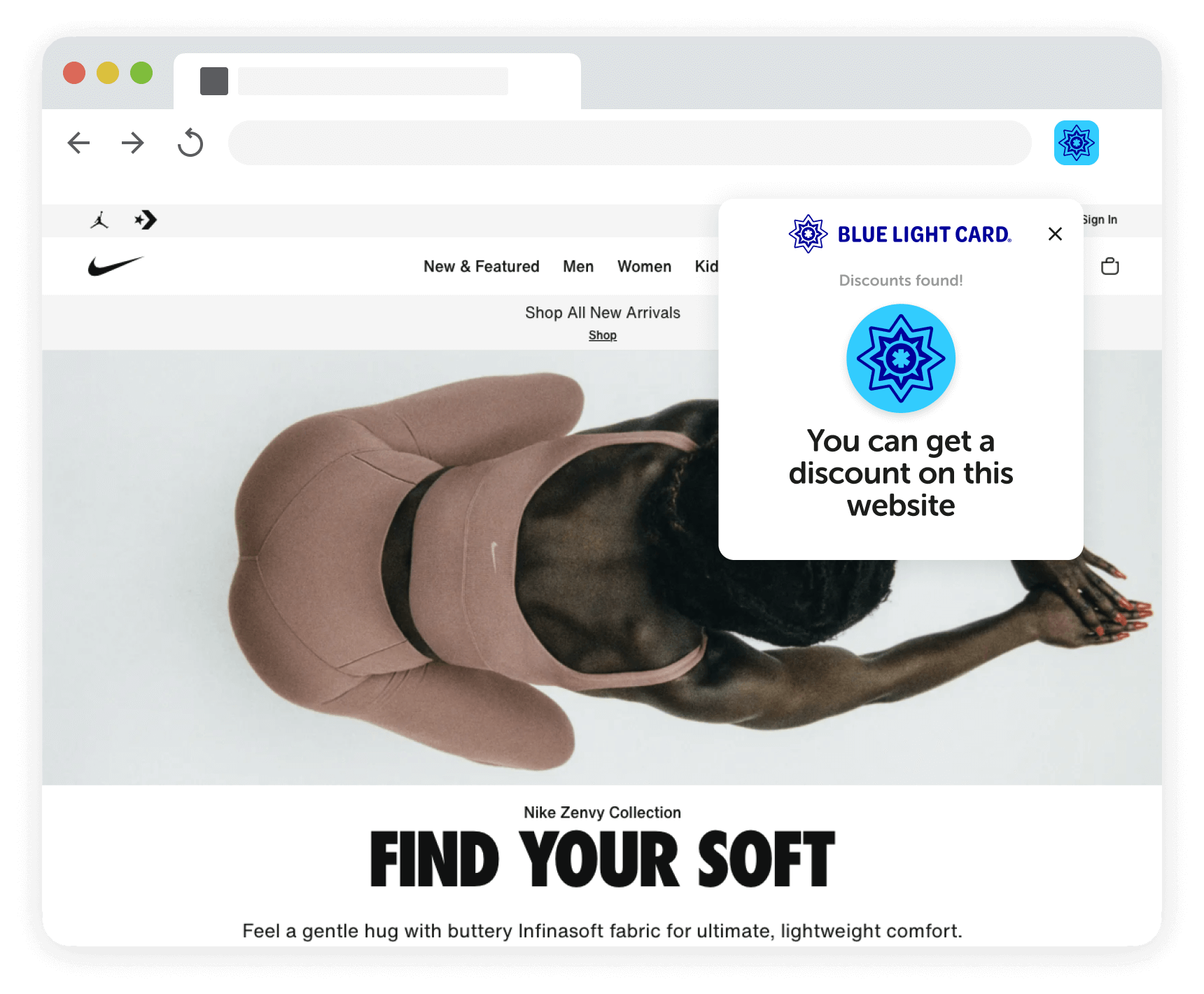
Step 2

Receive automatic notifications for Blue Light Card discounts.
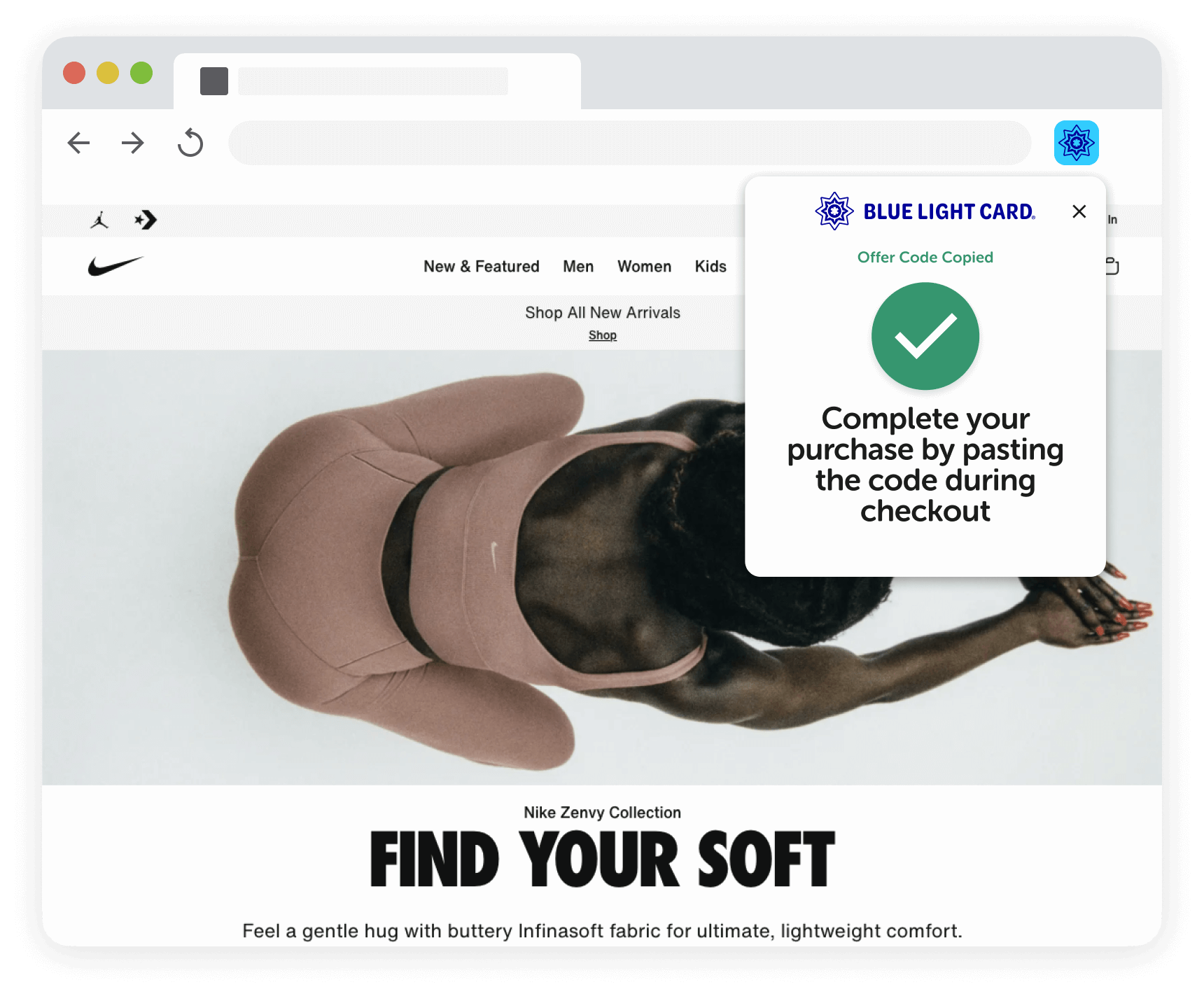
Step 3

Get your code with one click and enjoy great savings!

Community favourites

The below are just a small selection of the thousands of amazing offers we currently have live. Sign up to take advantage of these amazing discounts.

Halfords

Offer boost. Save 8% online

Currys

Get an extra 15% off on all Chromebooks

Samsung

Get up to 20% off at Samsung

TUI

Up to £100 extra discount!

New Look

Offer boost! Save 15% off full price

APH - Airport Parking

Save up to 21% on your Airport Parking

FAQs & eligibility

How can I install the Blue Light Card deal finder?

To install our deal finder on your computer, simply click the "Install now" button above and follow these steps:
1. Click "Add to Chrome."
2. Confirm the installation by clicking "Add extension."
3. Once installed, you'll see our icon in the top right corner of your browser.
That’s it! It will automatically tell you when a discount is up for grabs and help you bag a saving!

How does the Blue Light Card deal finder work?

The Blue Light Card deal finder automatically checks for discounts on the website you’re browsing from your laptop or desktop.
Whether you’re shopping online at Nike or Ninja, Hotels.com or Halfords, our extension will automatically pop up and let you know if there’s a Blue Light Card discount.

How can I use the Blue Light Card deal finder?

Once installed on your computer, using our tool is super straightforward.

Here’s how you do it:

  1. Visit your favourite website(s) as usual
  2. While browsing, look out for an automatic pop-up notification when a discount is available
  3. Click the link to sign in and grab the Blue Light Card discount
  4. Apply the discount in the promo/discount code box as you checkout
    (if this option isn't available to you, please refer to the T&Cs of the offer which should explain how to redeem the discount)
  5. Hooray! Your Blue Light Card discount has been applied!

The deal finder is always on standby, so if there’s a discount available, the pop-up will let you know. Just remember, you can only access the discounts if you’re a Blue Light Card member.

When does the Blue Light Card deal finder pop up?

Our deal finder only appears on pages where we have available discounts for that specific brand. If it doesn't automatically appear, it means there are currently no discounts available for that brand.

Can I use it while browsing from my phone?

Unfortunately, no. Our tool is currently designed for laptops and desktops use.

Why isn’t Blue Light Card showing automatic discounts in Safari or Mozilla Firefox?

Our tool is designed specifically for Chrome and may not be compatible with Safari or Mozilla Firefox. For automatic discounts, we recommend using our extension with the Chrome browser.