
You know you need something, and you know you could save on it with your Blue Light Card... but what’s the best way to find all the available offers and pick the best one for you?
Until recently, the easiest way to find something was by searching for it – which meant that you couldn’t always see similar offers or related deals that might interest you. That meant a fair bit of digging around before finding the right discount.
Enter category pages. Now, instead of searching for a specific brand, you can tap into a full page of all the relevant offers, filtered by category.
Looking for money off a new pair of shoes, for example? You can now browse all our footwear discounts in one place, and even filter by the type you’re looking for – whether that’s a new pair of boots or comfy trainers to wear on shift.
Category pages pull together every offer Blue Light Card has in a particular area, ready for you to explore. Rather than hunting for something specific, you can browse everything relevant in one place. Here’s a taste of what’s waiting:
Within each category, you’ll find subcategories wide-ranging enough that you can shop anything from solar panels to theatre tickets and ergonomic mattresses.
Didn’t know you could save on so much with your Blue Light Card? Get stuck in and explore to see where else you can save.
Whether you’re logging in on your laptop or your phone, start on the homepage.
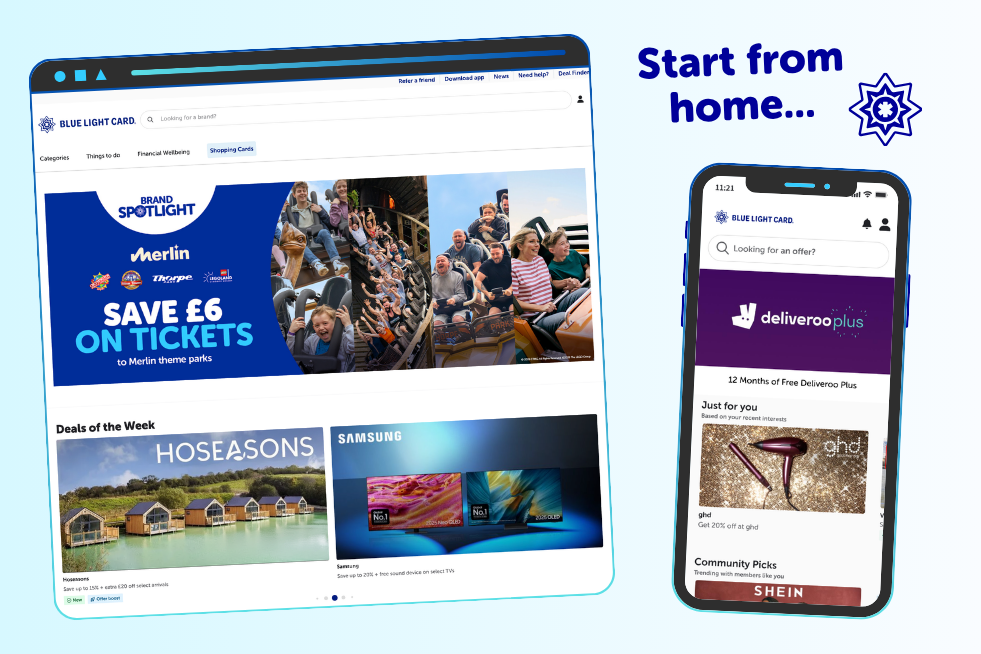
Next, if you’re browsing on a computer, select the dropdown for “Categories”, “Things to do” or “Financial Wellbeing” in the nav bar at the top of the page, depending on what offers you’d like to see.
If you’re using the app, simply hit “Explore” in the bottom bar.
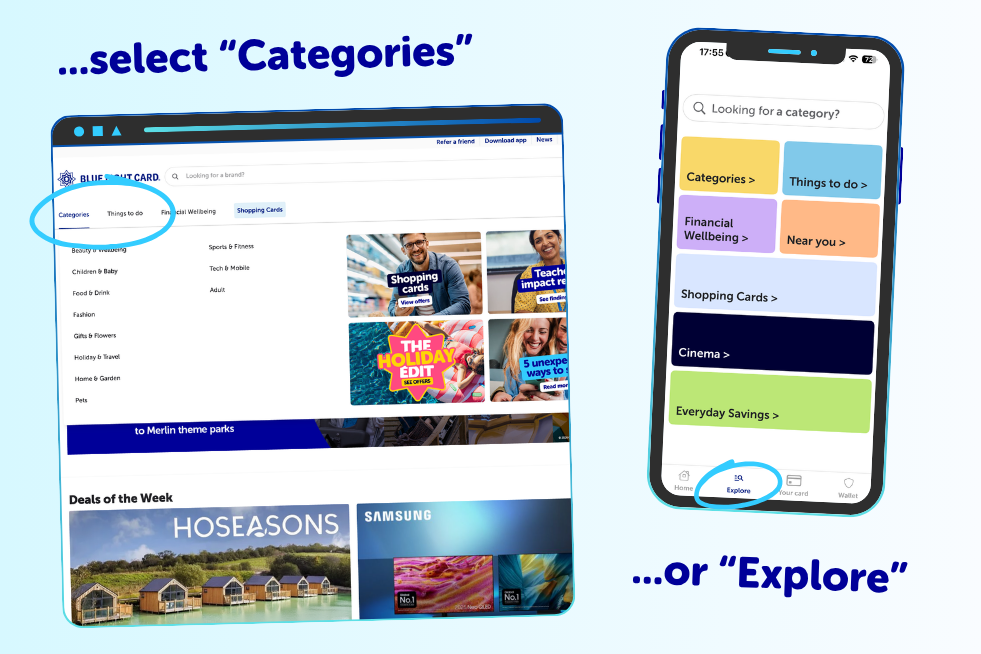
After that, you’ll land on a page full of offers and subcategories if you’re on a computer. If you’re using the app, just select which category you want to explore.
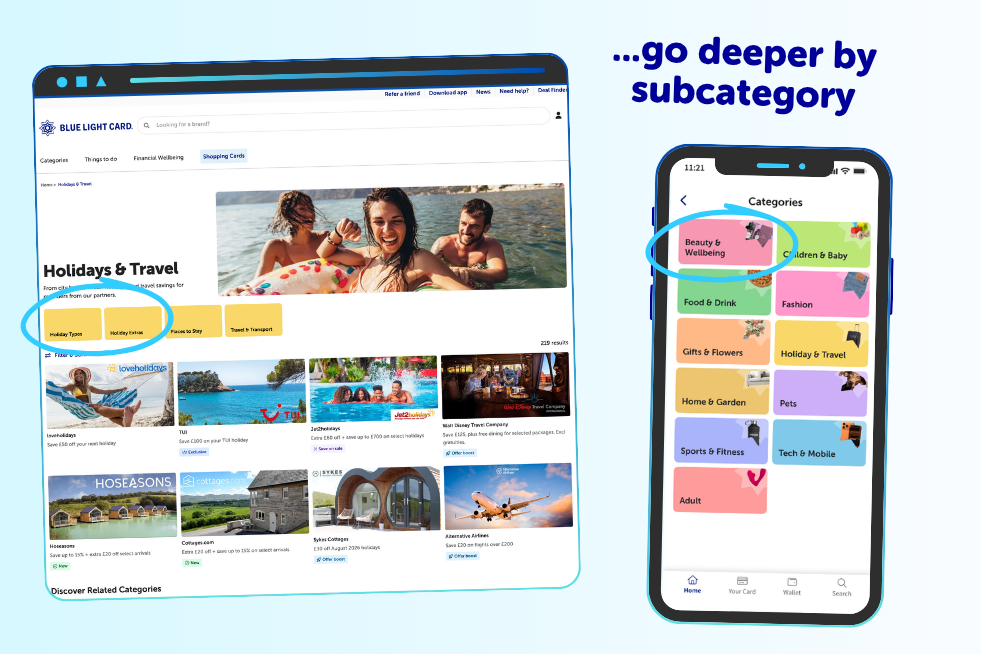
Now that you’ve clicked through to the category you’re interested in, you’ll see a listing of all the offers, discounts and deals we have in that area – all in one place, so you can choose the right one for you.
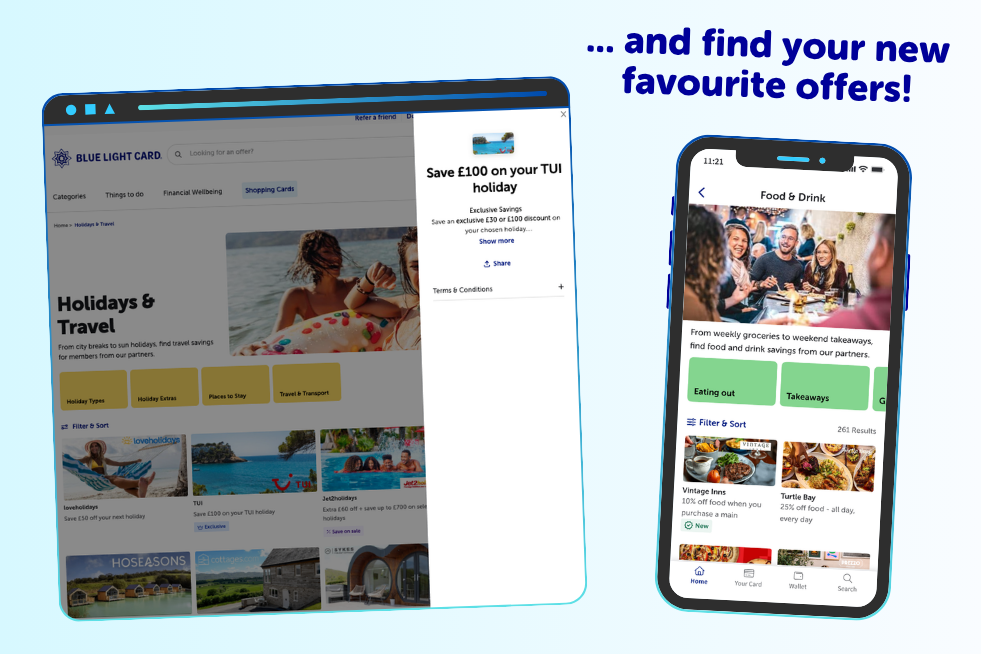
Since we launched our new category pages in June, we’ve noticed that members are finding offers more easily and finding more discount codes to use.
If you haven’t explored a specific category before, these pages are a great starting point to find out just how many areas Blue Light Card covers. You might be surprised how much there is!
Whether you’ve got regular expenses coming up or one-off purchases you need to sort, we always recommend checking Blue Light Card before you shop. From holidays to home insurance, you can stand to save with a quick check of our app or website.
Our new category pages are live, working and waiting for you to use them! But we’re still improving them. Soon, we’ll be showing the most relevant offers to you first. The “Explore” tab is also getting a layout refresh to make it even easier to navigate everything in one place.
Further down the line, the experience will start to learn what you like. The categories and offers you see will gradually become more tailored to you, rather than being the same for every member.
In the meantime, the pages are ready to use. Take a look the next time you log in to find an offer – you might come across something you didn’t even know you were looking for. Happy shopping!
If you need something but haven’t decided on a brand yet, category pages are the place for you. They bring together all our offers in a category so you can pick the best one for you and find options you may not have otherwise come across.
On the website, the “Categories” tab in the nav will take you straight to a choice of different areas. If you're using the app, you can simply tap the “Explore” tab at the bottom of your screen to get started.
At the moment, our category pages show all the offers available in no particular order. But keep an eye out – soon enough, you may start to notice the pages getting more tailored to your interests as we continue to improve them.